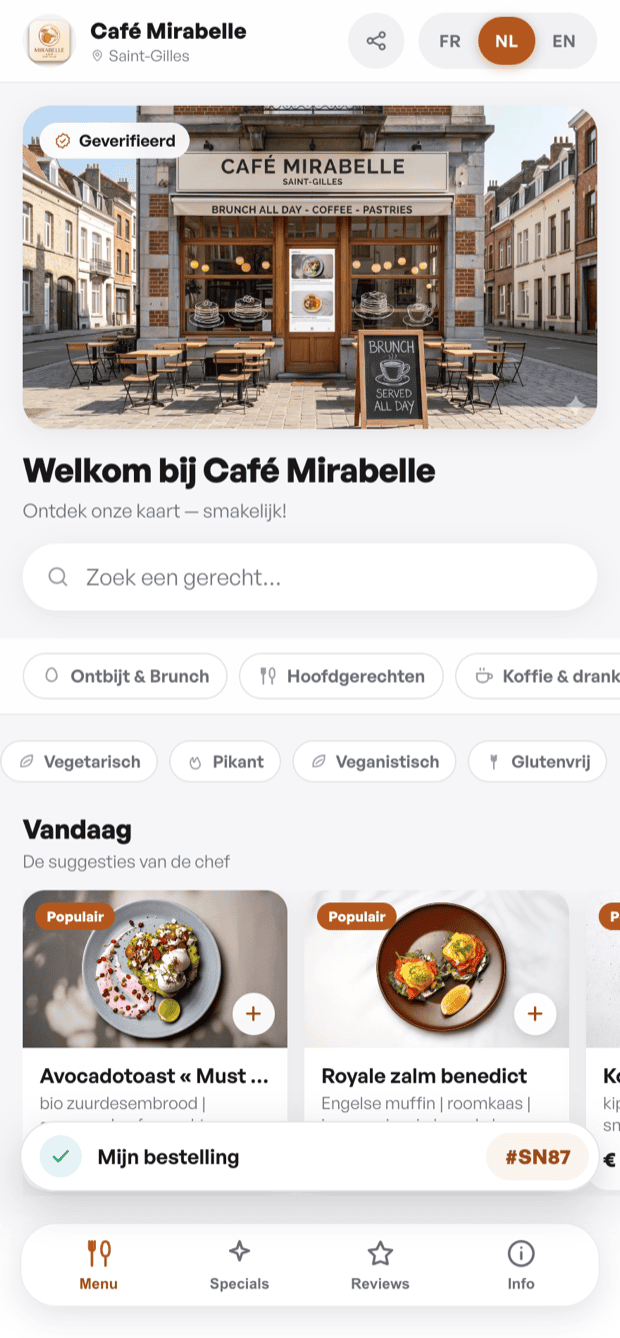
Every dish and category in your menu can be written in three languages: French (FR), Dutch (NL) and English (EN). Your guests see the menu in their preferred language — they can also switch manually at the bottom of the page.
Default menu language
In Settings › Display language, choose the language in which your menu opens by default (FR, NL or EN). This is the language shown during a standard QR scan. The other two languages remain accessible via the switcher at the bottom of the menu.
Automatic AI translation (Pro)
On the Pro plan an « Auto-translate with AI » button appears in each dish's edit form. One click automatically translates the name and description into the other two languages. You can then adjust the result. Without the Pro plan you can still enter translations manually — automatic translation is simply disabled.
What gets translated
- Dish names and descriptions — the main content of your menu.
- Category names — for clear navigation in all languages.
- Navigation interface (badges, buttons, labels) — automatically translated by qartine, with no action needed from you.