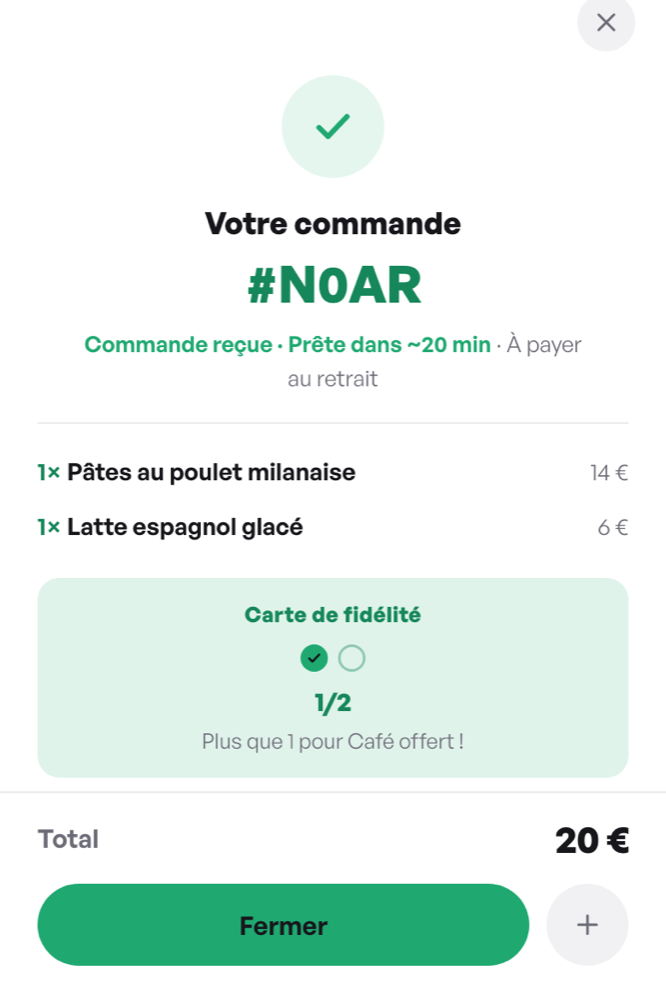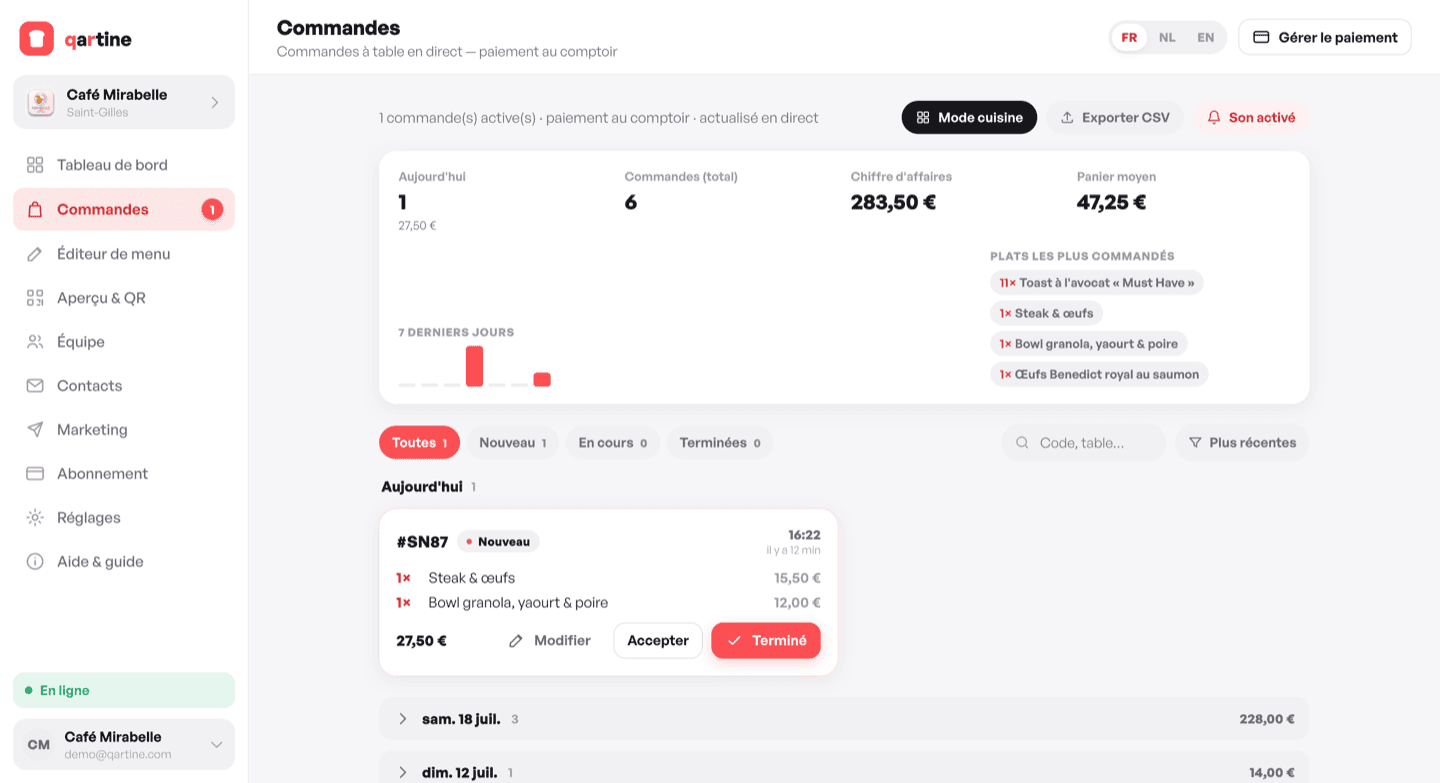
qartine's ordering mode works as a relay: your guest scans the table QR code, browses the menu, builds their order and sends it. The order arrives instantly in your dashboard with a sound alert. Payment then happens at the counter — no online payment, no per-transaction commission.
Enabling ordering in settings
In Settings, find the « Table ordering » section. Two modes are available: « Off » (the menu stays browse-only) and « Order, pay at counter ». Choose the second to enable the relay. Your guests then see an « Order » button on the menu.
Receiving and managing orders
The Orders board shows new orders with the table number, item details and total. Accept an order to move it to « Preparing », then mark it « Done » once served. The full-screen kitchen mode lets you display active orders on a dedicated screen behind the bar or in the kitchen.
With Pro, kitchen mode also has a « Floor map »: your tables live, coloured by what they need, with printable kitchen tickets and table summaries. See the « Table plan » article.
The guest's name
Dine-in guests can leave their name when they order (« so staff can find you when you pay »). It shows on the order, in kitchen mode and on tickets, so at the till you find « Sarah, table 4 » straight away. The phone remembers it for the next order. In Settings, « Require the diner's name » makes it mandatory — useful for counter service without table numbers. Like other guest data, it is deleted after 24 hours.
Takeaway orders
Also enable takeaway orders in « Preview & QR ». Customers can then place an order from the menu and collect it at the counter. Each order shows the customer's name and phone number, plus the estimated prep time you have set.
Online payment
Online payment directly from the menu is planned — this feature is in development and will be available soon.