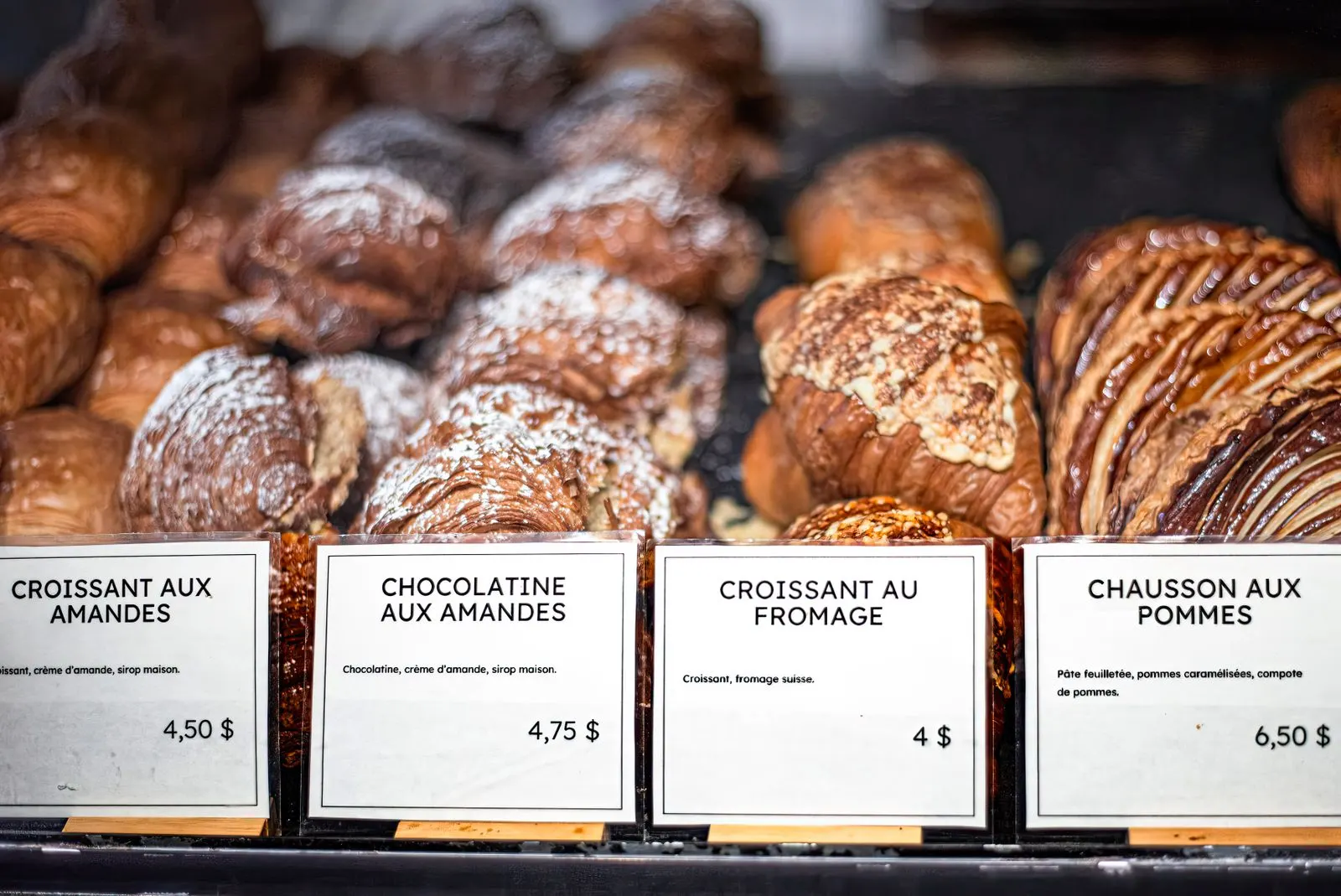
A QR menu at the counter: bakeries, patisseries, coffee shops and snack bars
No tables, no waiters: does a QR menu make sense? Yes, especially at the counter: a range too big for the board, allergens to show, a queue waiting, passers-by at the window. Where to put the QR code and what to put in the menu.
At the counter, a QR menu mainly does three things: shows in photos a whole range that won't fit on the board, gives allergens and ingredients without slowing the queue, and lets passers-by read the menu from the window. Put a QR code of at least 5 cm where customers wait, another in the window, and keep the menu in step with what's actually left in the display case.
A QR menu is usually linked to the restaurant table: the guest sits down, scans, chooses. Yet it can be even more useful in a counter-service shop, such as a bakery, patisserie, coffee shop, ice-cream parlour or snack bar. The range there is often wide, changes fast, and sells in seconds, in front of a display case and a queue. Here's what a QR menu brings in that setting, and how to set it up so it actually helps.
What the board can't show
A board or panel above the counter shows a dozen lines, with no photos and no detail. A patisserie or donut shop often has dozens of items, with flavours, sizes and boxes. An online menu, organised in categories (pastries, cakes, drinks, gift boxes…), shows the lot, in photos, with price and ingredients. The customer waiting their turn has chosen before reaching the till, and the order goes faster.
Allergens and ingredients, without holding up the queue
'Are there nuts in this one?' At the counter, every question like that gets asked while the queue waits, and the answer depends on the memory of whoever is on the till. Yet the EU food information regulation requires information on the 14 major allergens, including for products sold unpackaged. A menu where each product lists its allergens lets customers check on their own in seconds, and your staff no longer have to improvise. It's also a draw for customers avoiding gluten or lactose: they know in advance what they can have.
Where to put the QR code in a shop
| Placement | Who it serves | Suggested size |
|---|---|---|
| Along the queue, at eye level | Customers waiting their turn | 5–6 cm |
| On the display case or counter | Those hesitating or checking an allergen | 5–6 cm |
| In the window, facing the street | Passers-by, even after closing time | 10 cm |
| On tables or standing tables | Those eating or drinking in | 3–4 cm |
Always put a short line with the code, 'Our full menu, with photos and allergens', so customers know what they'll find. The window QR code is often the most underrated: a passer-by who discovers your range on a Sunday evening comes back the next morning, or orders ahead if you offer click & collect.
A menu that keeps up with the display case
- Mark what sells out mid-day as 'sold out' rather than removing it: customers see the product exists and come earlier next time.
- Put the new item or the current special at the top of the menu, with a good photo.
- Group boxes and assortments in their own category, with the piece count and the box price.
- Change a price once, online: no board and printed list to update at the same time.
With qartine
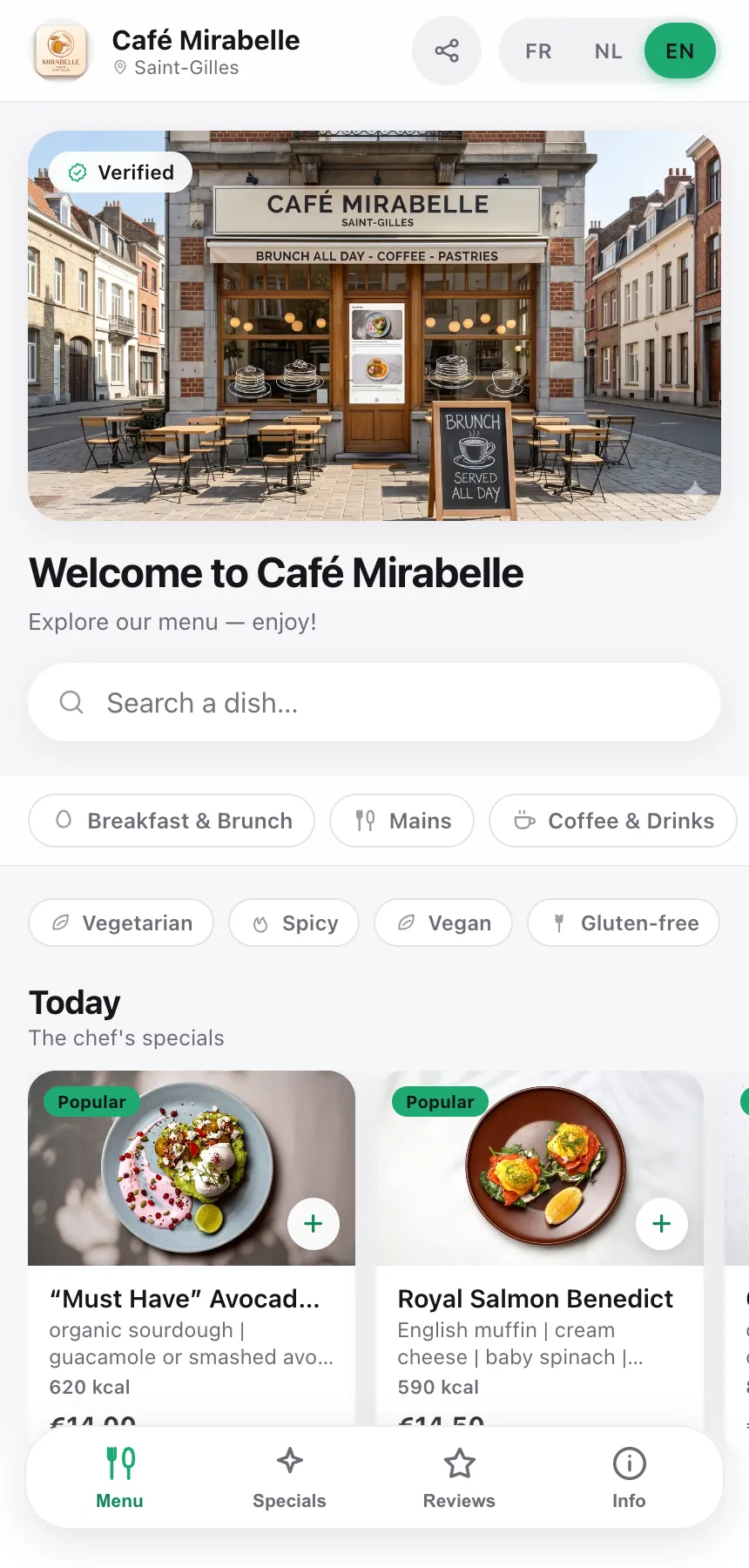
qartine is built for these shops too: a menu in categories, with a photo per product, the 14 regulatory allergens and badges such as Vegetarian or Gluten-free, in French, Dutch and English. You mark a product sold out from your phone, and the category view lets customers browse a wide range in a few taps. From the Preview & QR screen you print a card with your logo and a call to action, for the counter as well as the window. With the Pro plan, customers can also order for pickup from the same menu and pay when they collect.
Frequently asked questions
- My customers only stay two minutes: will they really scan?
- The ones queuing will: that's when they have their phone in hand and nothing to do. So will those who are hesitating, looking for an allergen or wanting to see the box of six before choosing. The QR menu doesn't replace the display case; it answers the questions the case leaves open.
- Do I have to show allergens for my unpackaged products?
- Yes. The EU food information regulation (No 1169/2011) requires you to tell customers about the 14 major allergens, including for products sold unpackaged, as in a bakery or patisserie. The exact rules depend on the country; an online menu where each product lists its allergens is a simple, always up-to-date way to keep that information available.
- My range changes every day: how do I keep up?
- Keep your whole usual range in the menu, and mark what's run out as 'sold out' with a tap on your phone. Add seasonal or weekend specials in the morning and remove them when the season ends: the QR code itself never changes.