Takeaway orders without commission: click & collect from your QR menu
Taking takeaway orders without a delivery platform or commission: how click & collect works from your own online menu, what to set up (prep time, pickup, payment) and how to let your customers know.
Click & collect means an order placed online and picked up at the counter. From your own QR menu, the customer picks their items, leaves a name and phone number, sees when their order will be ready and pays on pickup; you receive the order live, with no middleman platform and no commission on each sale.
For many bakeries, patisseries, cafés and snack bars, takeaway is a big share of turnover. Delivery platforms have taught customers to order from their phone, but they take a commission on every order and stand between you and your regulars. There's a simpler route: let customers order from your own online menu, then pick up at the counter. That's click & collect. Here's how it works and how to set it up without complicating your service.
How an order goes
- The customer opens your menu, from the QR code in your window, your Google profile or a link on your socials, and picks 'takeaway'.
- They fill their basket, give their name and phone number, and see how soon the order will be ready.
- The order lands live on the counter or kitchen screen, with a sound alert.
- You accept it, prepare it and mark it 'ready': the customer sees the status change on their phone.
- They come to the counter, give their name, pay and leave. No queue, no phone order taken in the middle of the rush.
What to set up before you start
Three settings make the difference between click & collect that eases the counter and click & collect that throws it into chaos. First, prep time: give a realistic time for peak hours, not for the quiet morning. A customer told 15 minutes who waits 25 won't come back; one served early will. Next, the pickup point: say clearly where to go, for example 'at the end of the counter, right of the till', especially if there's a queue. Finally, payment: on pickup, on your usual till, is simplest, and spares you from handling online refunds.
| Criterion | Your menu with click & collect | Delivery platform |
|---|---|---|
| Cost | A flat subscription, no per-order commission | A commission on every order |
| Delivery | No, the customer collects | Yes, by a courier |
| Customer relationship | Yours: the customer comes back to you | The platform's |
| Prices shown | Your counter prices | Often raised to absorb the commission |
Getting your menu ready for takeaway
A menu built for browsing on site isn't always ready for ordering. Check that every item has a clear price, variants included (size, flavour, topping), and that paid options are offered at the moment of ordering rather than in a note. Mark as 'sold out' whatever runs out by the end of the day, so you don't accept an order you can't fill. For boxes and assortments a photo helps enormously: someone ordering six pieces wants to see what the box looks like. Finally, keep allergens up to date: at a distance, the customer can't ask you.
Getting the word out
Click & collect is no use if nobody knows it exists. Add your menu link to your Google profile, your social media bios and your email signature. Put a QR code in the window with a clear line, 'Order here, collect without waiting', and one at the counter for customers in the queue: next time, they'll order before they come. For the first few weeks, mention it in person to your hurried morning regulars; they're the ones who'll adopt it fastest.
With qartine
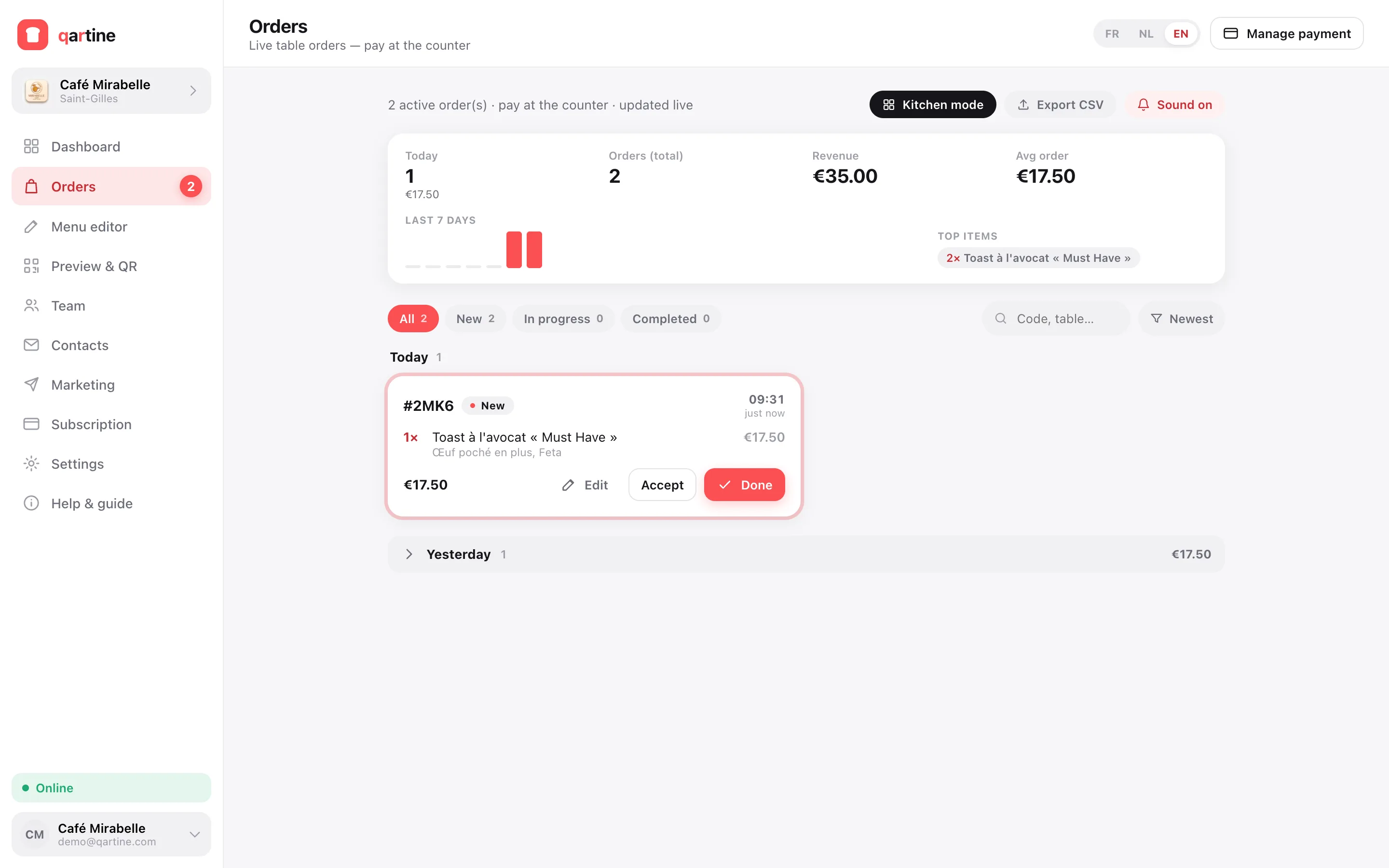
With qartine's Pro plan, you switch on takeaway orders from the Preview & QR screen. You set the prep time shown to the customer and a pickup instruction ('at the counter, right of the till'). The customer orders from your menu, gives their name and phone number, sees when the order will be ready and pays on pickup. Each order arrives live on the orders board, with a sound alert and a full-screen kitchen mode; you move it from 'new' to 'preparing' and then 'ready', and the customer follows the status on their phone. No commission on orders: you pay the subscription, and that's it.
Frequently asked questions
- How is this different from a delivery platform?
- A delivery platform brings you customers and a courier, but takes a commission on every order and keeps the customer relationship. Click & collect from your menu doesn't deliver: the customer comes to collect. In exchange there's no per-sale commission, and the customer remembers your shop, not the app.
- Does the customer have to pay online?
- Not necessarily. Paying on pickup is the simplest to set up: the customer pays at the counter, on your usual till, when they collect. It also avoids online payment fees on every transaction.
- What if a customer doesn't come to collect?
- It's rare when the customer has left a name and number: you can call them. To limit the risk, only start preparing fresh items once you accept the order, and keep a realistic prep time rather than one that's too short.
- Do I need a separate QR code for takeaway?
- No. It's the same menu at the same address: a customer browsing it from home, through your Google profile or social media, can order for pickup. The QR code in your window serves passers-by who'd rather order and come back.