
Going digital for your restaurant in 2026: where to start
QR menu, table ordering, Google reviews, analytics: the guide to digitizing your restaurant step by step, without breaking the bank or replacing every tool.
Digitizing your restaurant means adding, one step at a time, the tools that save you time or money — starting with the ones that pay off fastest: a multilingual QR menu, Google review collection, then table ordering. Budget half a day for the first step, with no hardware to buy and no till to replace.
'Digitizing your restaurant' sounds like a major project: new till, new screens, training, a big budget. In reality it isn't. Going digital doesn't mean ripping everything out to replace it all at once. It means adding, one step at a time, the tools that save you time or money — starting where the return is fastest. Here's a simple order of march.
Step 1: the digital menu
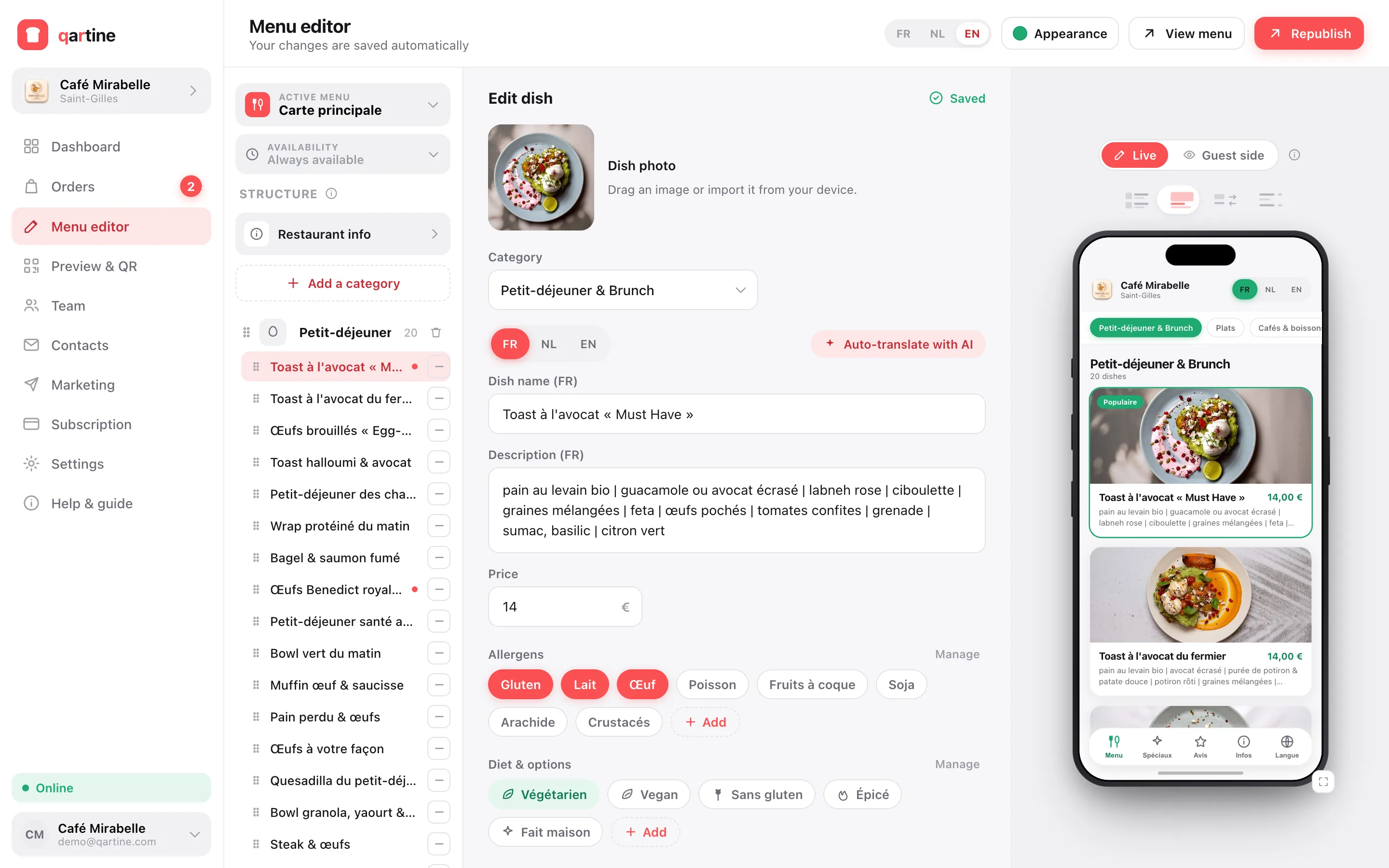
Always start with the menu, because it's the highest-impact, lowest-effort step. A QR menu replaces the paper card with a web page the guest opens by scanning, with no app to install. You update it live, translate it in one click, add photos that sell and the allergens the regulation requires. It's also the foundation for everything else: ordering, reviews and analytics all graft onto that same menu. Budget under an hour to create and publish yours.
Step 2: table ordering
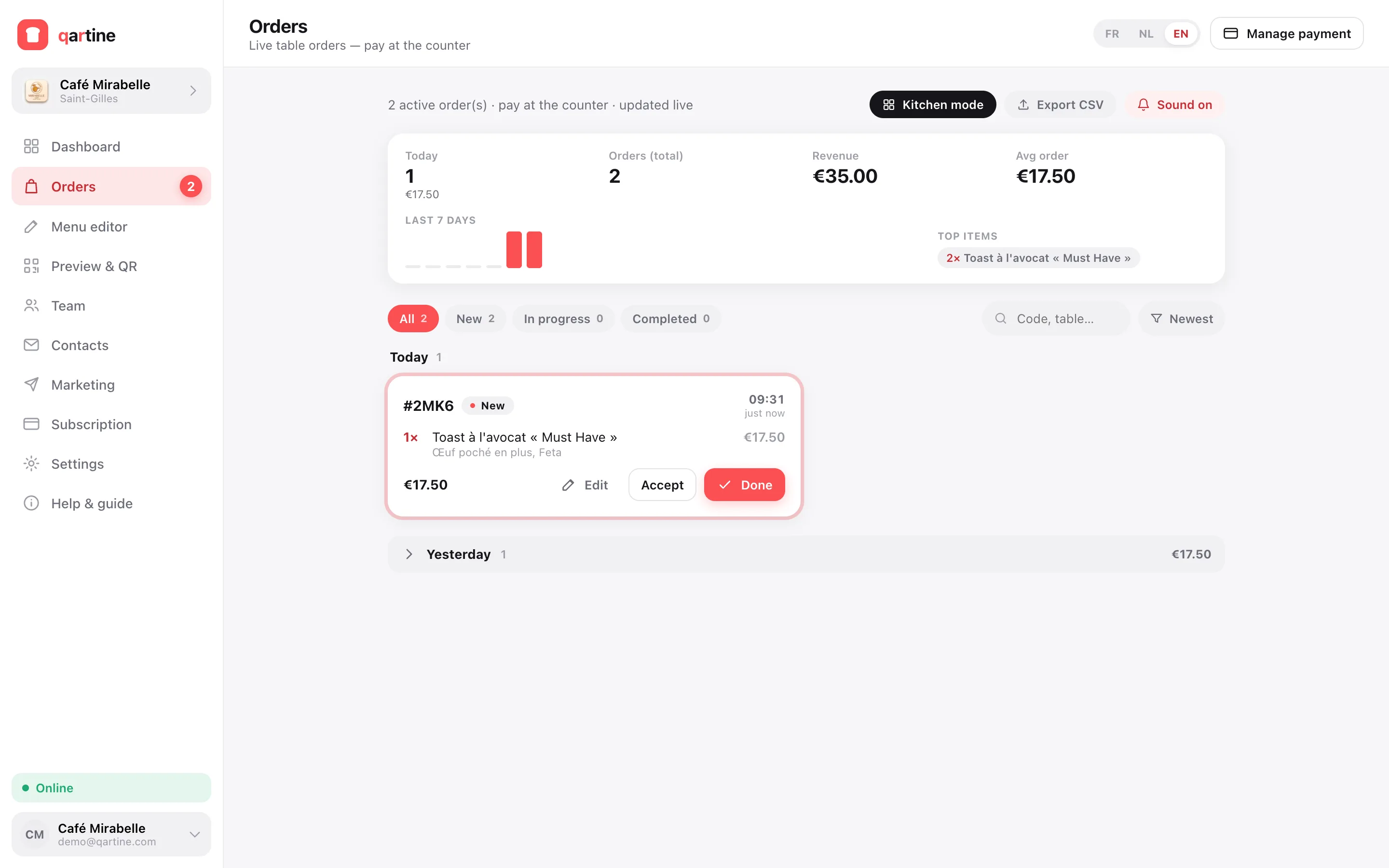
Once the menu is in place, you can let it take orders. The guest scans their table's QR, picks their dishes and sends; the order arrives live in your dashboard, with the table number already filled in. Payment can stay at the counter — no per-transaction commission, no friction. This step eases service at peak hours and cuts order-taking errors. Switch it on only once your menu is running well: there's no need to plug everything in on the same day.
Step 3: reviews and reputation
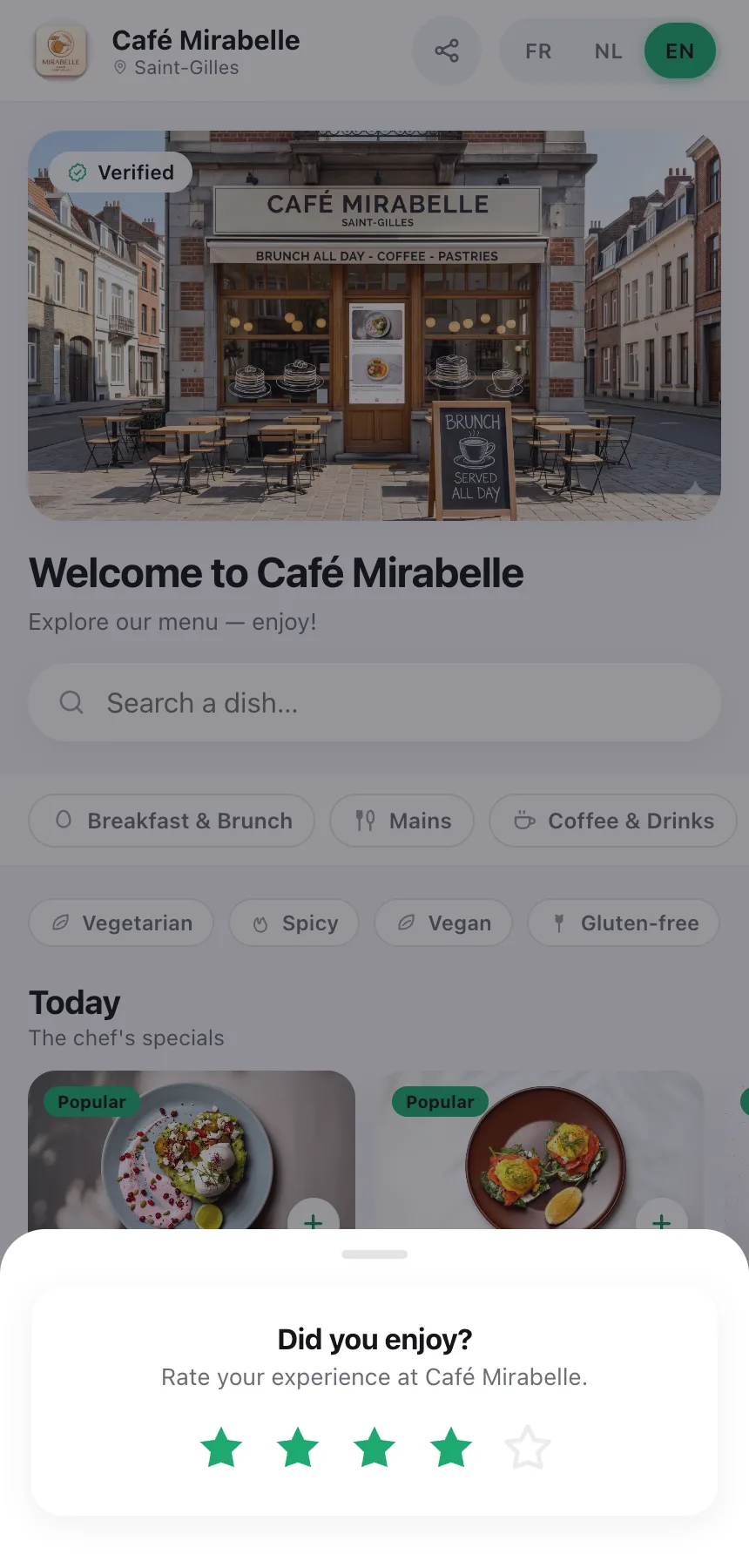
Your future guests choose where to eat from your Google rating. The menu the guest already has open on their phone becomes the best place to ask for a review, at the right moment — at the end of the meal, still at the table. A discreet invitation, one tap, and the review form opens. Never pay for reviews and don't filter out the unhappy ones: Google forbids it. Instead, reply to every review, especially the negative ones: it shows future guests that the house listens.
Step 4: measure what works
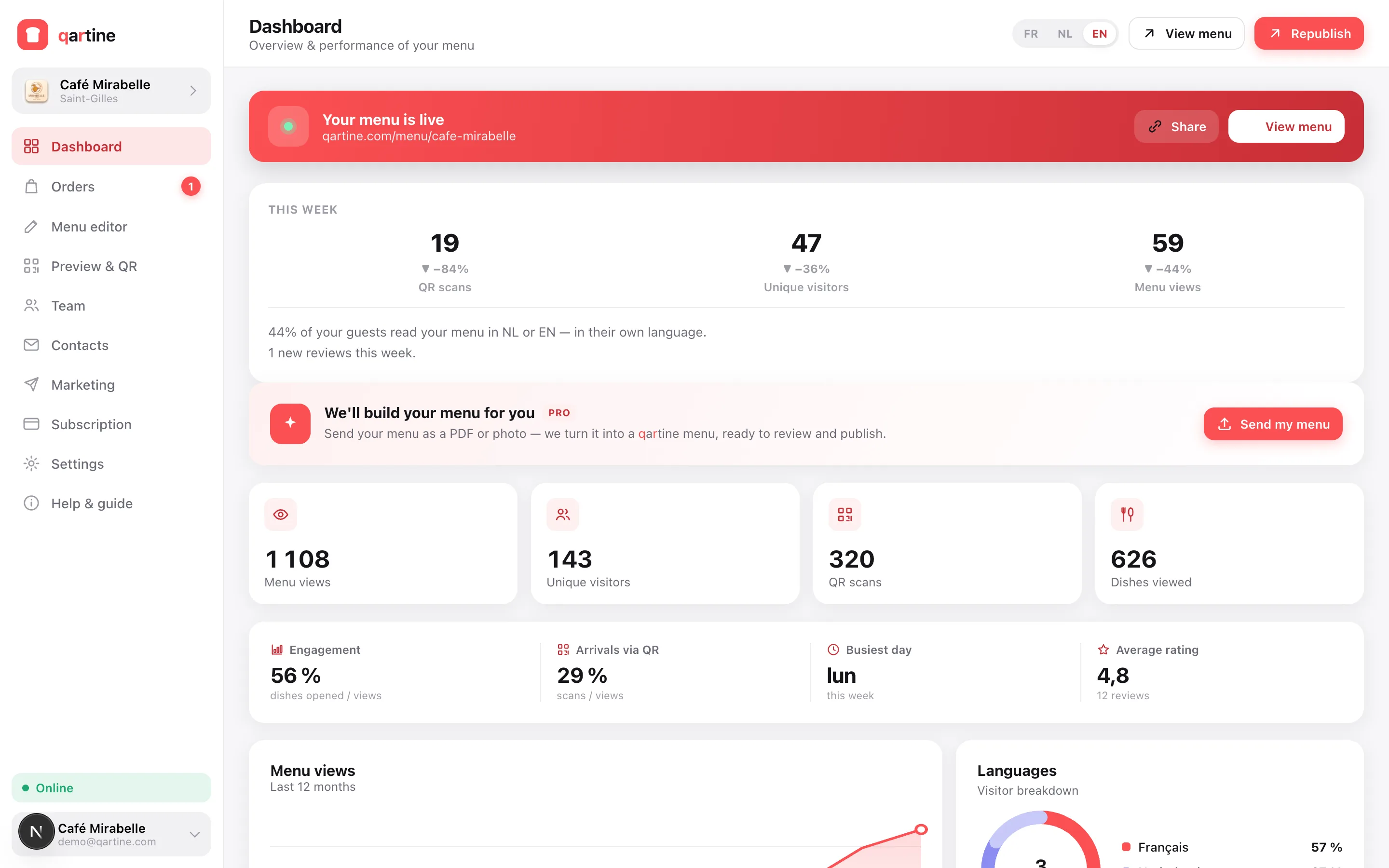
The great gift of digital is finally knowing what's happening. How many scans, which dishes are most viewed, which are looked at without being ordered, at what hours. Paper taught you nothing; a digital menu shows you the effect of every change — a new photo, a new price, a dish moved to the top of the card. You stop guessing and decide on numbers. It's that loop — test, measure, adjust — that makes the difference over time.
What NOT to do
- Don't digitize everything at once: one step at a time, so staff and guests can settle in.
- Don't pick a tool that locks you in: avoid long contracts and systems your data can't leave.
- Don't forget to train the team: a tool the staff can't use is worthless in the middle of a rush.
- Don't drop paper entirely: keep a few handsome menus for welcome and guests without a smartphone.
Digitizing a restaurant isn't a weekend revolution, it's a series of small steps in the right order: the menu first, then ordering, then reviews, then measurement. Each step pays for itself before you begin the next, and you keep control of your data and your budget throughout. Start with the menu, today — the rest will follow at your own pace.
Frequently asked questions
- Where should I start to digitize my restaurant?
- With the menu. It's the highest-impact, lowest-effort step: a multilingual QR menu, updated live, is set up in under an hour and reaches every guest from day one.
- How much does it cost to digitize a restaurant?
- A QR menu starts at the price of two or three covers a month. You can test it free for 15 days, no credit card, before deciding — there's no need to invest thousands to get started.